
Fix a listing or ownership issue · UK Business Profile owners after a merge
Unfamiliar Google reviews appeared after a profile merge. What should you check?
First establish which listings Google combined. Google says reviews are combined when duplicate profiles for the same business merge. If two separate eligible businesses appear to have been merged, use the duplicate-profile support route. When the profiles really represent the same business, look for a specific policy issue in an individual review before reporting it.
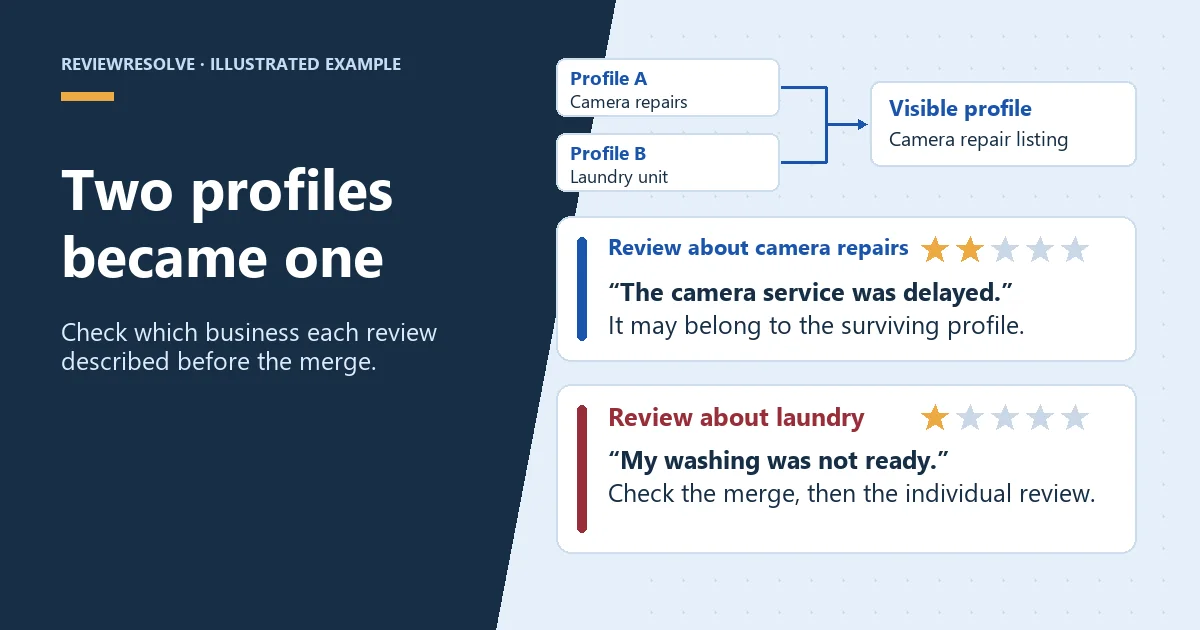
Identify the listings before you look at the reviews
Save the current Maps link and the best public reference for each previous profile. Useful sources include links in old business emails, saved listing addresses, storefront photos and links from your own website. If an older Maps link now opens the surviving listing, note both the old reference and the destination you see today. Record dates you can verify and describe unknowns plainly.
Keep a short list of the public names, unit numbers and services for each business. A different postcode or another company’s website may help explain a mismatch. A shared address or two slightly different names can also occur with legitimate duplicate listings, so put the evidence together before drawing a conclusion.
Use the right route for what you can establish
| What the records suggest | What to save | Where to start |
|---|---|---|
| Two listings described the same business at the same location | Both listing references and a few recognisable reviews | Confirm the combination. Google says reviews are combined and some owner replies may be lost. |
| Two distinct eligible businesses were combined | Names, public addresses and evidence showing each operates separately | Ask Google support to review the possible merge error using its duplicate-profile route. |
| One imported-looking review makes a separate inaccurate location or service claim | A direct link to the review, exact disputed passage and public facts | Check Google’s review policy and reporting tool for that item. |
| Only the review count changed | Dated observations of both profiles and any evidence of a merge | Check what was combined before assigning individual reviews to a former listing. |
A worked example with two units at one address
The owner takes the listing evidence to Google’s duplicate-profile support route. If a review remains on the listing after the profile issue is clarified, the owner checks whether its content still points to the wrong business. Separately, an old review about a delayed camera repair may be genuine even if the current operator does not remember it.
Keep the listing case and review case identifiable
- Record when you first noticed the merge and keep any Google support reference with the profile inventory.
- Record each disputed review link and its own reporting status. A profile support decision and a review report are separate actions.
- If you request an assessment, include the surviving listing, the individual review and which profile steps you have already taken. Share public facts and leave customer or account details out.
Sources
- Google Business Profile · resolving duplicate profiles
Explains what happens to reviews when profiles merge and how to appeal an incorrect duplicate status.
- Google Business Profile · moving reviews between profiles
Explains relocation, ownership and other changes that can affect review continuity.
- Google Business Profile · reporting inappropriate reviews
- Google Maps · prohibited and restricted content