
Report, track or appeal a review · Hotel owners and revenue managers
A booking-site review appears on your hotel’s Google profile. Who can change it?
Before you report the review, open the source named beside the rating. UK hotels generally need to use the travel publisher’s process for a review written on its site. If Google is displaying another property’s reviews on your Business Profile, contact Google about the link between the properties.
In this update Added two ways to identify the review publisher and the evidence to save for a listing mismatch.
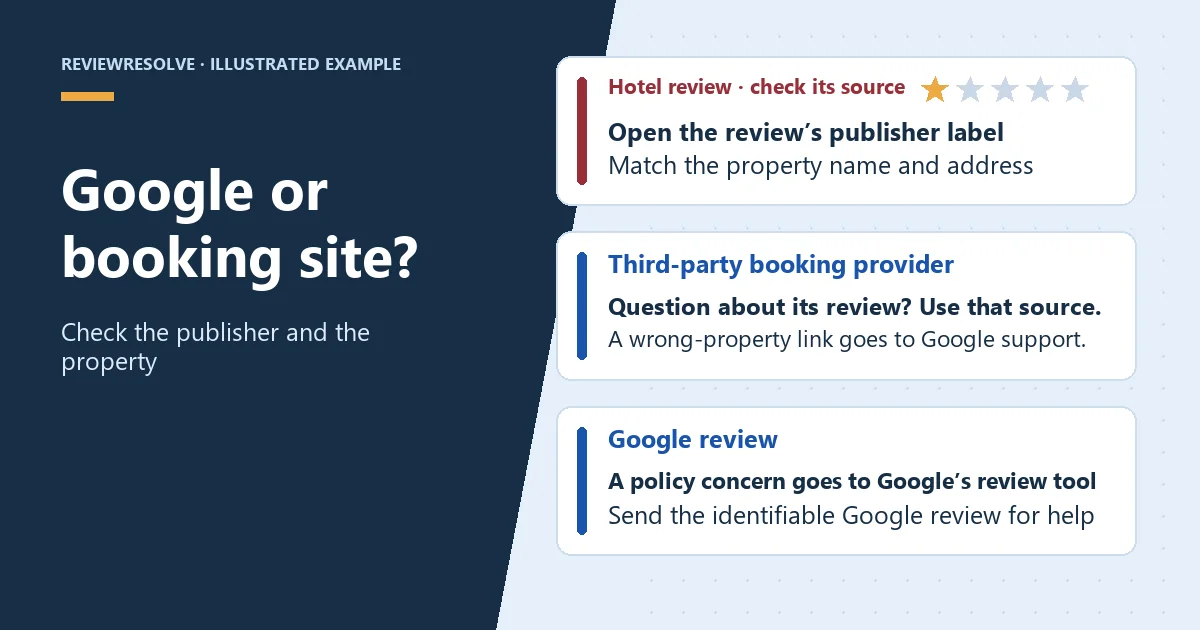
Find out where the review was written
To find the publisher, select the highlighted source name or use the open-in-new-window control beside the review or rating where it is available. Save the publisher’s property page URL alongside the Google profile URL. A UK hotel can dispute a review’s content with the publisher. If Google displays reviews from another property, give Google support both URLs and the property names so it can check the match.
Open the hotel’s Google Business Profile on Search or Maps and select the reviews. Check for a travel-site name beside the review or aggregate score. Follow the highlighted name or the link that opens it in a new window. Google may display a total from a travel site as well as individual reviews. Check that you have the same item and the same property before you save a screenshot or message either platform.
| What Google displays | What to check | Start here |
|---|---|---|
| A review marked with a travel publisher’s name | The provider’s live item and the property page it sits on. | Ask the travel publisher to assess the review under its terms. |
| A travel-site score or review linking to a different hotel | Both property addresses and the source URL shown on Google. | Ask Google Business Profile support to correct the property association. |
| An individual review left on Google | The review permalink, the hotel’s profile and the specific policy concern. | Use Google’s review-reporting process. |
Google offers a direct route for certain third-party reviews on Business Profiles in the European Economic Area. Its hotel guidance directs businesses outside the EEA, including UK hotels, to the third-party publisher. Google separately directs all businesses to its support team when reviews from another property are attached.
Prepare a request the publisher or Google can act on
For a provider request, record the public property URL, the review date or visible identifier and the reason you think the publisher’s terms apply. For a Google association request, save the two public profiles and the travel-site URL. Identify whether a single entry or the entire score links to the wrong property. Keep guest names and reservation references out of any initial message unless an authorised support channel later needs a specific detail.
Check eligibility before buying help
Check the provider’s terms if your reason is that the guest never stayed. For example, Booking.com’s UK review guidelines allow submissions from guests who arrived but did not stay. A cancelled room in your system therefore needs more context. If a guest is describing a genuine experience at your hotel, use the provider’s feedback tools or respond politely.
Once the provider corrects or removes a review, check the original source and then check Google again. Save the provider’s decision and the original URL in case the wrong property stays attached. If a separate review was written directly on Google, handle it under Google’s review policy and record it as a separate case.
Sources
- Google Business Profile guidance on third-party reviews
Covers travel providers, reporting outside the EEA and errors linking reviews to a different property.
- Booking.com UK guest review guidelines
Explains review eligibility and the booking platform’s review standards.
- Google Business Profile review reporting and appeals
Explains the report and appeal routes for reviews left on Google.