
Gather evidence · UK owners with a screenshot and an incomplete review reference
We Have a Screenshot of a Google Review but No Link. Is It Enough to Request an Assessment?
A screenshot is enough to begin an enquiry when you can name the business, identify the location and describe the specific review. A public link to the live item makes it easier to confirm the case. Keep the screenshot for your own records and take a moment to establish whether it shows the right listing and the current version.
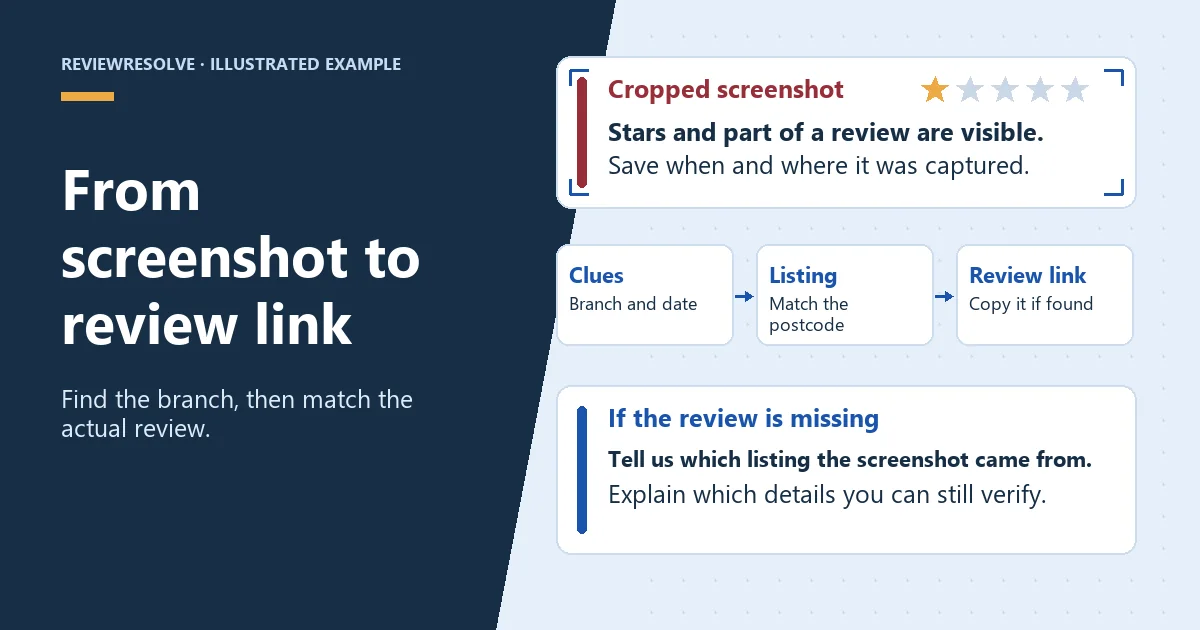
Use the screenshot to find the listing and the post
- Ask whoever captured it for the business name as shown on Google, the branch address or postcode and the day they took the screenshot. The date within the review is a separate clue.
- Open the correct listing in Google Maps or Business Profile. Look for the star rating and a short stretch of distinctive, non-sensitive wording. Search within the listing’s reviews where that option is available. If the screenshot shows stars without text, rely on the branch, observed date and any other context you can verify.
- Confirm that what you find matches the screenshot. Use the individual review’s share or copy action if your interface offers it. Open the link again to check what it leads to. A listing link still helps when the review-specific link is unavailable.
Use Google’s instructions for finding and reading Maps reviews
Record what happens if you cannot find it
| What you have | Best next reference | What it tells us |
|---|---|---|
| A live, clearly identifiable review | The individual review link and affected branch. | Shows the current post and where it appeared. |
| The correct listing with a plausible match | Public listing link or branch name and postcode, star rating, observation date and a short identifier. | Lets someone attempt to find the item while preserving uncertainty. |
| A screenshot, and the review currently does not appear | Branch and date checked, plus whether the review had already been reported and the tool’s current status. | Distinguishes a missing item from a confirmed Google decision. |
| A screenshot with stars only and no listing clues | Ask the sender which business and branch they saw. | Prevents an enquiry about the wrong listing. |
Google says reviews can be delayed, for example after a Business Profile merge. The review may also have been edited since the screenshot was taken. If you already reported it, check the existing record in Google’s Reviews Management Tool. A screenshot records what someone saw at a certain time. A status or decision can explain what has happened since.
A worked example for the assessment form
Enter the listing or your UK location in the business-details field. Add a short description and any earlier report status in Additional context. Keep names, phone numbers and other private information from the image out of the form. If Google shows an existing report, send the status and the public review link if you can find it.
Sources
- Google Maps Help — find, read and report reviews
Explains where reviews appear and how editing can change the date on display.
- Google Business Profile Help — missing or delayed reviews
Explains some reasons a review may be unavailable on Search or Maps.
- Google Business Profile Help — report and check review status
Explains how to check what happened after you reported the review.