
Gather evidence · UK listing managers dealing with promotional spam
The same sales pitch appears in reviews of unrelated businesses. What can you report?
Start with the review on your own listing. If it directs readers to an unrelated seller or repeats a promotional pitch you can already see on other listings, save the public references and record the wording. A few examples you can verify are more useful than a long list of guesses about who posted them.
Identify the promotional passage on your own listing
Open the review on the correct Business Profile and save its direct link if available, the exact passage that appears commercial and the date you captured it. Write down what the reader is being asked to do, such as visit an unrelated seller, enter a discount code or contact a sales channel. Google Maps has separate policies on advertising and solicitation and on repetitive content. Use the most accurate reporting reason for the material you can see.
A customer might mention the brand of a product they bought, or describe two shops in a genuine comparison. The fact that the same brand name appears in several reviews adds little. A repeated instruction to buy, book or redeem an unrelated offer gives you a more specific issue. If a review combines real service feedback and a pitch, identify the commercial passage without dismissing the remainder.
Build a small evidence sample
| Record | What to save | What you can show |
|---|---|---|
| The review on your listing | Exact listing and review links, visible date and short relevant passage | Which review you are asking Google to assess. |
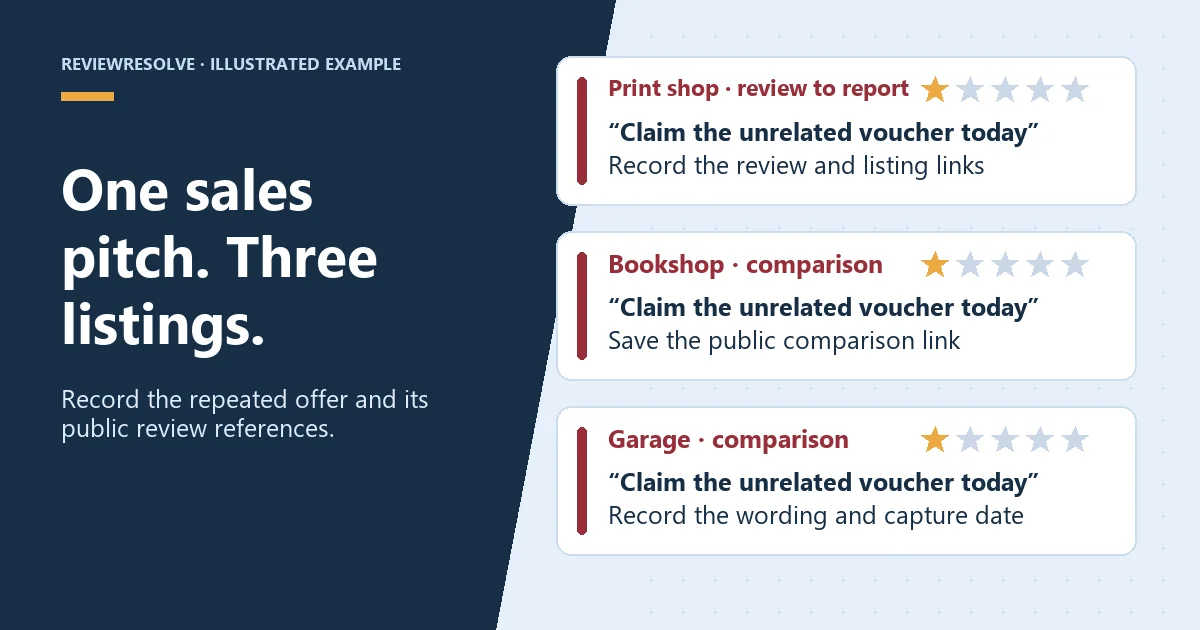
| Two other unrelated listings with the same sales pitch | One direct review link per listing and the shared passage | The repetition spans unrelated businesses. |
| A different review that mentions the same product | A short note on the report record explaining why you excluded it | The sample distinguishes a shopping experience from a repeated offer. |
| A destination in the pitch | Where the address or contact instruction appears in the review | The action the pitch asks the reader to take. You can record it without opening it. |
Avoid saving irrelevant profile details or trying to connect accounts. Similar wording can support a repetitive-content concern without identifying an author. If a comparison post later disappears, mark it as unavailable and retain the capture date. Keep the review under assessment distinct from the comparison links so the report has a clear target.
A worked example across three unrelated listings
The case note names the policy concern and points to the promotional line. It includes both comparison links as context and leaves authorship unknown. If the review concerns another branch or has already been reported, add the exact listing and current status before submitting anything further.
Report the specific item and keep its status
Use your Business Profile account to report the review to Google and check the decision in the Reviews Management Tool. Google’s published process offers a one-time appeal for eligible declined reports. If an appeal is available, check that the public references still work and explain what the repeated wording shows.
Sources
- Google Maps content policy on advertising, solicitation and repetitive content
Describes both rules and includes promotional content and repeated posts.
- Google Business Profile review reports and appeal instructions