
Gather evidence · UK owners and branch managers following up a Google review report
A Google reviewer changed their display name after we reported them. Can we still find the review?
Start with the review, the listing and the existing report. Google lets contributors choose and change the name and photo attached to public posts. The name shown today can differ from your original screenshot, so use the direct review link and report status to match the item.
In this update Added Google’s current guidance on public display names across Maps and Search.
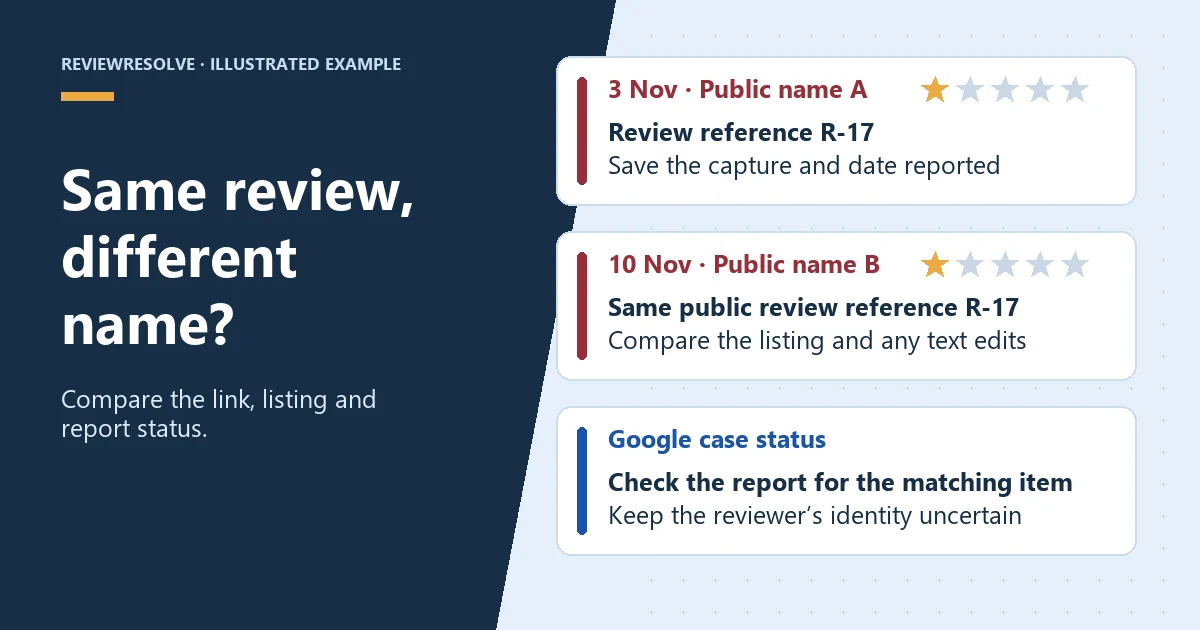
Match the item before interpreting the change
Google lets people contribute using their account name and photo or a custom public name and photo. A custom name or photo changed in Maps also updates in Search. When you compare captures from both places, use the review link, listing and exact wording as identifiers. Save any impersonation or other policy issue separately from the name change.
Open the original review from the case note and check that it points to the right Business Profile. A branch’s general Maps link may open the page without identifying the individual contribution. Look for the original report date, rating and a short excerpt that helps distinguish it from other reviews. Open Google’s Reviews Management Tool using the account associated with the business profile and check which item the tool shows.
| What you can see | What to record | What to do next |
|---|---|---|
| The saved direct review link opens the contribution on the right branch, with a different display label. | Both observation dates, the review link and what differs today. | Use the existing case and continue checking its status. |
| Both posts look alike but you can verify different direct review links. | Each link, wording and rating. Note which one was reported. | Keep separate records and check each review’s status on its own. |
| A saved link opens only the listing, and several posts match the old screenshot. | The listing, screenshot date, excerpt and what remains unresolved. | Find an identifiable contribution or report entry before making a follow-up claim. |
Record the evidence instead of guessing who posted it
The review text and rating can change as well. Google says an edited review displays the last edit date. Keep your capture date separate from the date shown on Maps. A recent date on a similar review can reflect editing, though it can also belong to a separate contribution. Record the exact change you can see and avoid claiming why it happened.
An altered display label provides no evidence on its own that someone impersonated another person or made a false statement. Leave identity guesses, profile searches and unrelated public posts outside the case note. If the review itself supports an impersonation concern, explain what it says and how that violates the relevant policy.
Follow the current case status
- If it remains pending, preserve the updated observation and check the existing report again. Record the reported date separately from the date shown on the review.
- If Google found no policy violation and offers a one-time appeal, use the original link and describe the exact policy issue and any material content change.
- If your record is incomplete, start from the right listing and report status. A saved screenshot can help identify the review, especially if it includes the branch, date or distinctive wording.
Sources
- Google Maps and Search public profile settings
Explains custom public display names and photos and how contributors can edit them.
- Google Maps review editing and sharing
Describes review edits, sharing and the display of dates after editing.
- Google Business Profile reporting and appeals
How businesses report a review, check the result and find an eligible appeal.
- Google Maps prohibited and restricted content
The rules on genuine experiences, misrepresentation, off-topic content and privacy.